In March 2022, on my old Specialty Cabinet Services site, I wrote a blog post called "Embedding a 3D Model." I'd built a Lazy Lee corner cabinet in Cabinet Vision, cleaned it up in SketchUp, uploaded it to 3D Warehouse, then added the embed to my blog. All of that because I wanted to see how a real 3D model would look sitting on my own website.
Here's the entire post, more or less:
Zoom in/out with the mouse scroll wheel.
Pan by dragging with the Left mouse button.
Rotate by holding the scroll wheel.
Look for the full screen/expand button to view in full screen.
This does not appear to be compatible with mobile phones.
Then, hopefully: "If you're seeing this post then consider offering some feedback or suggestions." It got zero comments.
I think about that post a lot, because everything I've built since is basically an answer to it.
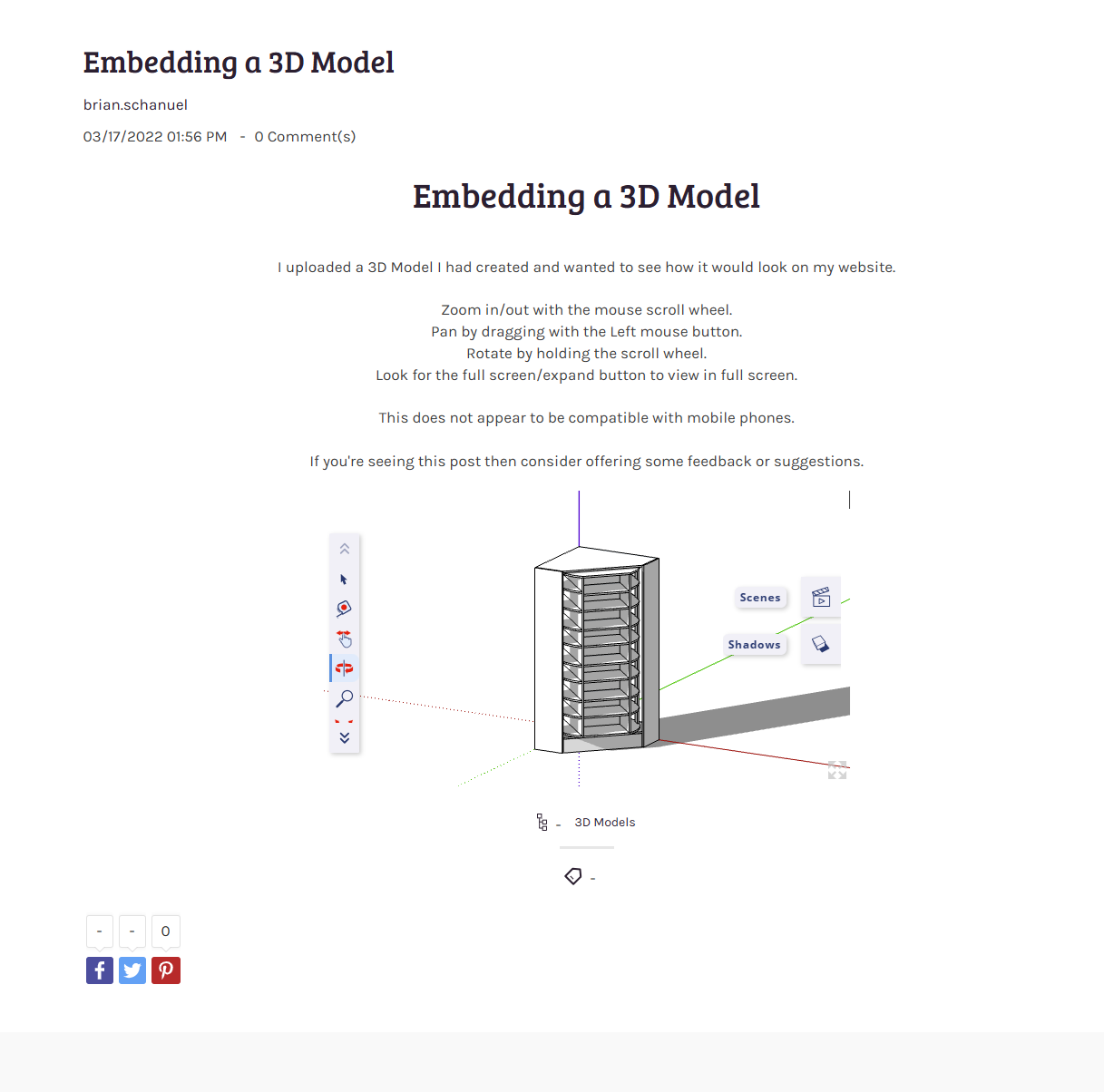
What it took to show a 3D model in 2022
To get that cabinet onto the page at all, the model had to live on 3D Warehouse — someone else's platform — and the page pulled in a heavy embed you clicked to load. Once it loaded, it worked, on a desktop, if you knew that holding the scroll wheel orbits the camera. Which is why the post is mostly a little instruction manual: scroll to zoom, drag to pan, hold the wheel to rotate. You had to teach people how to look at the thing.
There were few good options for hosting a 3D model at all — and the one "user-friendly" path, the 3D Warehouse embed, wasn't really that user-friendly. Sending a client to 3D Warehouse was, and still is, an exercise in friction.
And then the line that says it all: this does not appear to be compatible with mobile phones. In 2022, the phone — the device the client actually has in their hand when they're standing in their space — was the one place the model wouldn't go.
What showing a 3D model looks like now
Same wish, four years later: put a real 3D model in front of someone, wherever they are.
Today that cabinet loads inline, instantly — no placeholder to click, no instructions, because you just touch it. On a phone, you tap once and the cabinet stands up at full scale in your actual room, on your floor, in your light. The thing that "did not appear to be compatible with mobile phones" is now the entire point: the phone is where the model is most useful, not least.
And it's not hosted on someone else's platform. It's a single portable file — a .3df — that lives wherever you want, with an embed code you control. The same file opens in a browser, drops into an email, or stands up in AR, with no app on the other end.
Closing the loop for Cabinet Vision
The 2022 cabinet started in Cabinet Vision too — I just had to route it through SketchUp and 3D Warehouse to get it online. These days most of my work is with Cabinet Vision shops, and the same idea now reaches straight into that workflow. A new browser tool — ModelLink 3D Studio (web) — takes a Cabinet Vision export and turns it into one of these shareable .3df files, right in the browser, with the manufacturing geometry cleaned out and the finishes kept. The model that used to live trapped in the design tool becomes something you can hand to a client on their phone.
That's the thread running through all of it — the door order form, the interactive door-catalog, the shift from raw files to real 3D assets, and now a one-step path out of Cabinet Vision. The 2022 post asked a small question: how would my 3D model look on my website? It turned out to be a much bigger one.
If you're seeing this post — same as I said in 2022 — I'd genuinely like the feedback.
Common Questions
What changed between 2022 and now?
Three things: the model loads instantly instead of behind a click-to-load placeholder; it works on phones, including AR at full scale; and it lives in a portable file you own (.3df) with your own embed code, rather than on a third-party platform.
Do viewers need an app or special software?
No. It opens in any modern browser, and AR works on iOS and Android phones with nothing to install.
How does this connect to Cabinet Vision?
ModelLink 3D Studio (web) converts a Cabinet Vision .dae export into a shareable .3df in the browser — manufacturing geometry stripped, textures kept. It's in beta behind a free ModelLink 3D sign-in at modellink3d.com/studio-web.
Can I put one of these on my own site?
Yes — that's the point. Every model gets an embed code you can drop into a web page, and the viewer is interactive with one-tap AR.
Thoughts or questions? Email me.
Try it with your own Cabinet Vision export
ModelLink 3D Studio (web) is in beta. A free ModelLink 3D account gets you in.
Open Studio Web